Interface concepts · Administration
The administration interfaces
Office Unbound is designed to keep everyday applications and administration apart. Four consoles are proposed, each for a different person: an organization’s administrator, a managed service provider, an infrastructure operator, and whoever runs a migration.
Project status Proposed interface concepts, not released software. Every screen uses fictional example data.
Organization administration
For an organization’s own IT administrator: a familiar admin center, branded Office Unbound, for one organization.
- Users, groups and MFA
- Service provisioning and storage
- Mail settings, domains and DNS
- Permissions and security policies
- Audit logs
- Organization-level updates

More Organization administration screens
-
 Administration One console for the organization
-
 Groups and permissions Groups, owners and administrative roles
-
 Tenant administration One customer organization, end to end
-
 Mail settings Mail settings, with modern authentication by default
-
 Security policies MFA, access and sessions in one place
-
 Audit log Who did what, including the provider
-
 Organization updates Updates the organization can see and schedule
-
 Document engine settings Choosing the editing engine
MSP Control Center
For managed service providers: a separate console for many customer organizations, each its own isolated tenant.
- Tenant status and customer isolation
- New-customer provisioning
- Technician roles and delegated access
- Service assignments
- Maintenance scheduling and alerts
- Reporting and migration progress

More MSP Control Center screens
-
 Customer detail One customer, from the provider’s side
-
 New tenant Provisioning a customer in eight steps
-
 Delegated access Technicians see only what their role allows
-
 Maintenance scheduling Maintenance across every customer
-
 Maintenance and updates Updates on each customer’s schedule
-
 Customer reporting A monthly report a customer can read
-
 Administration on a phone The urgent tasks, on a phone
Infrastructure Control Server
For infrastructure operators: the control plane for hosts, VMs, containers and services, separate from sign-in and from tenant administration.
- Proxmox clusters, hosts and managed VMs
- Docker containers and service health
- CPU, memory, storage and network
- Alerts, incidents and escalation
- Update control and recovery
- Capacity forecasts and approval-gated scaling
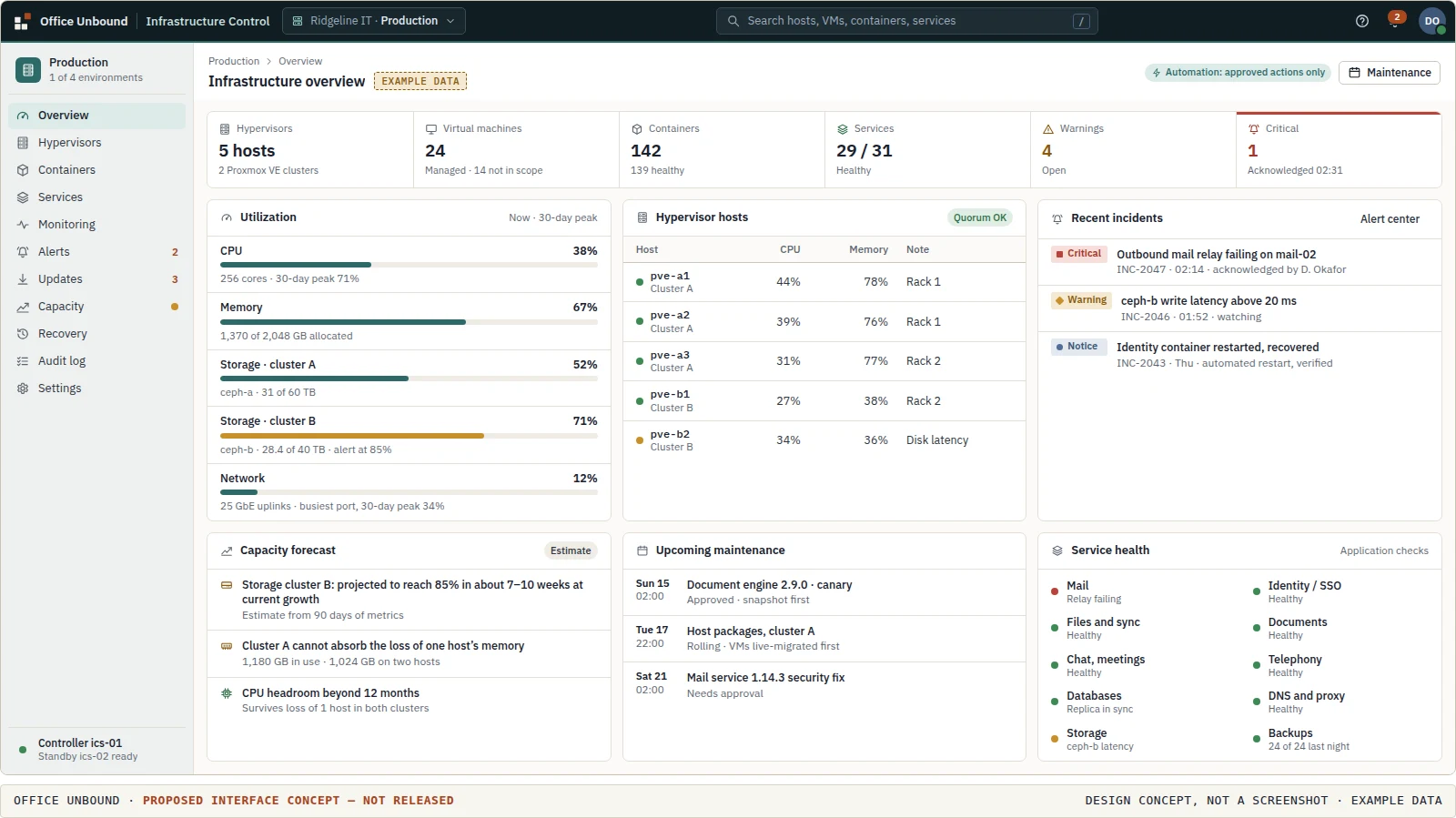
More Infrastructure Control Server screens
-
 Hypervisor management Powerful control, limited privileges
-

-
 Alert center From detection to acknowledgment
-
 Update management Platform updates on the operator’s schedule
-
 Capacity planner Tomorrow’s capacity problems, today
Migration Center
For migration projects: guided moves from Microsoft 365 and Google Workspace, run by the organization or its MSP.
- Discovery and pre-migration assessment
- Supported and unsupported workloads
- Identity mapping and migration waves
- Progress and verification
- Cutover approvals
- Rollback planning
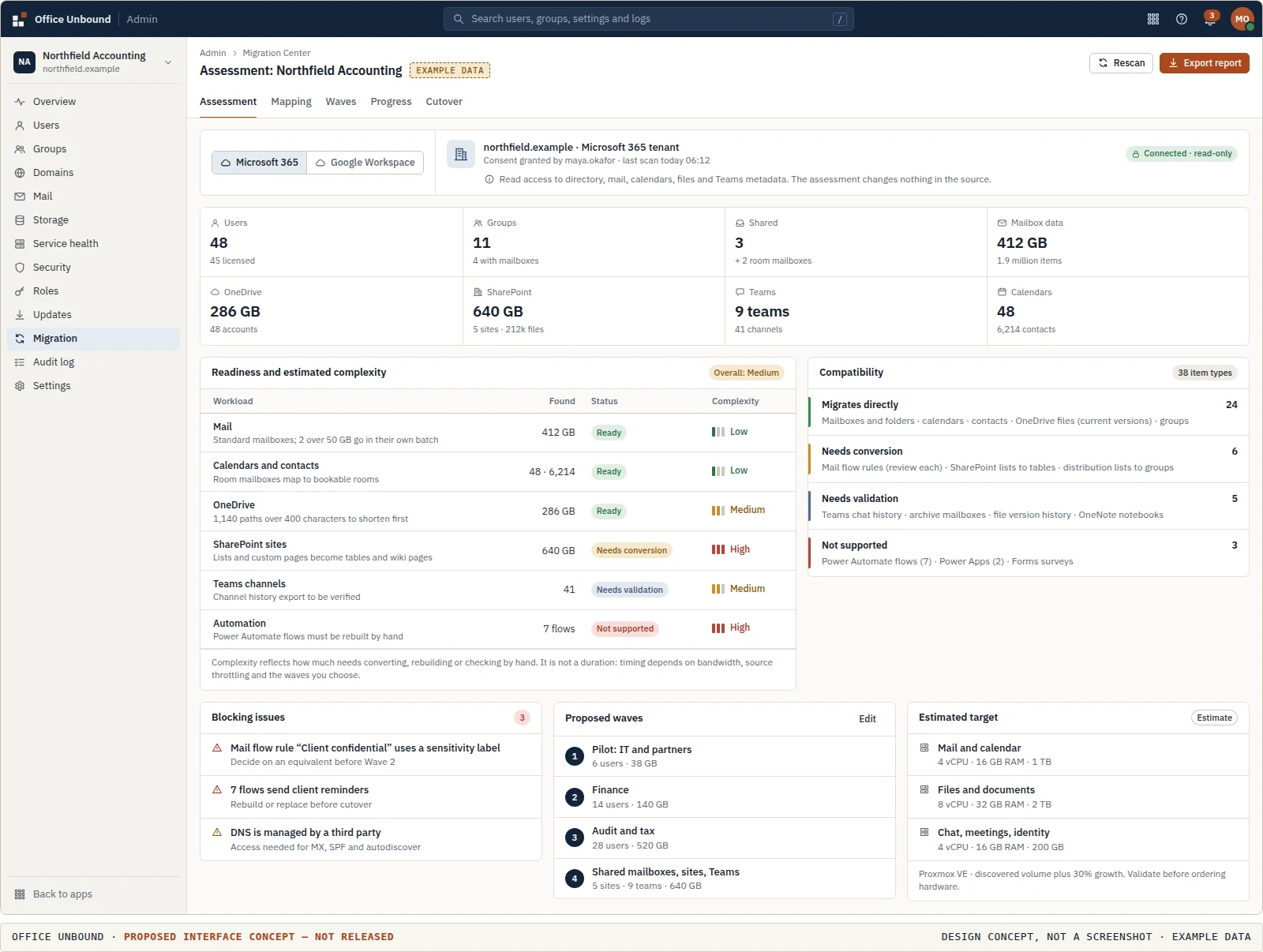
More Migration Center screens
-
 Google Workspace assessment Discovering a Google Workspace domain
-
 Mapping and waves Mapping identities and planning waves
-
 Migration · in progress Staged migration with a way back
-
 Verification and cutover Verify, cut over, and know how to roll back
Why four consoles, not one
Each console serves a different person with different authority. An organization administrator manages people and policies in one organization. An MSP works across many customers but only within the scope each technician is given. The Infrastructure Control Server manages hypervisors and containers with narrowly scoped credentials that tenant administrators never hold. Sign-in and identity sit underneath all of them.
The everyday workspace
Administration is reached from the app switcher, never from the everyday navigation. People who only use mail, files and meetings do not see it.
Run IT for other organizations?
MSP design partners review these consoles against how they work today, before anything is built.